

A fork of tidy-jsdoc that uses the Rosé Pine color palette.
With npm:
Add the dependency:
npm install --save-dev rose-pine-jsdoc
Then, in your jsdoc.json config, set the template property to ./node_modules/rose-pine-jsdoc.
Or:
You can copy this repository and set the static path to the template in your jsdoc.json file.
(See the example configuration)
| Rosé Pine Dawn | Rosé Pine |
|---|---|
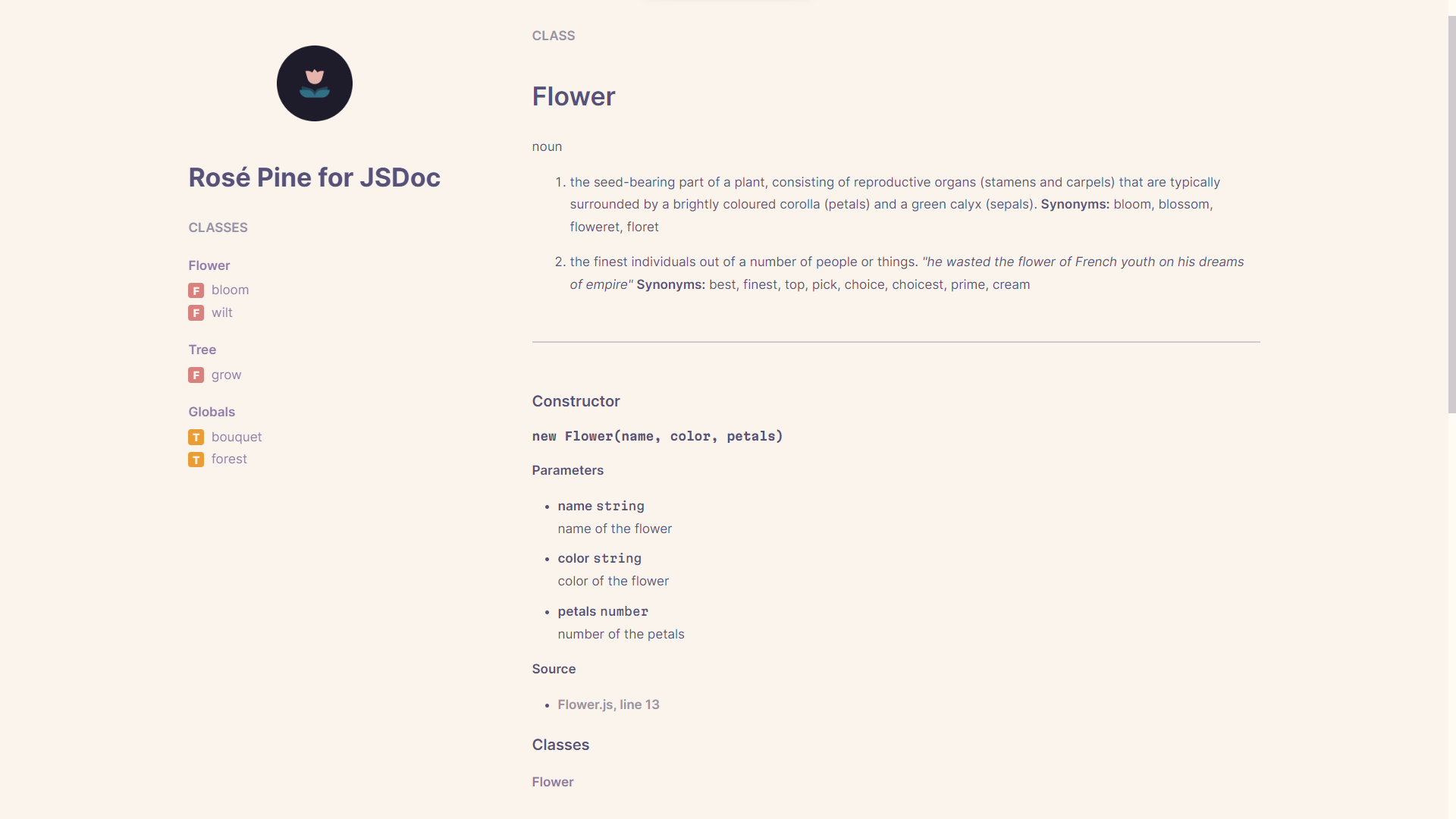 |
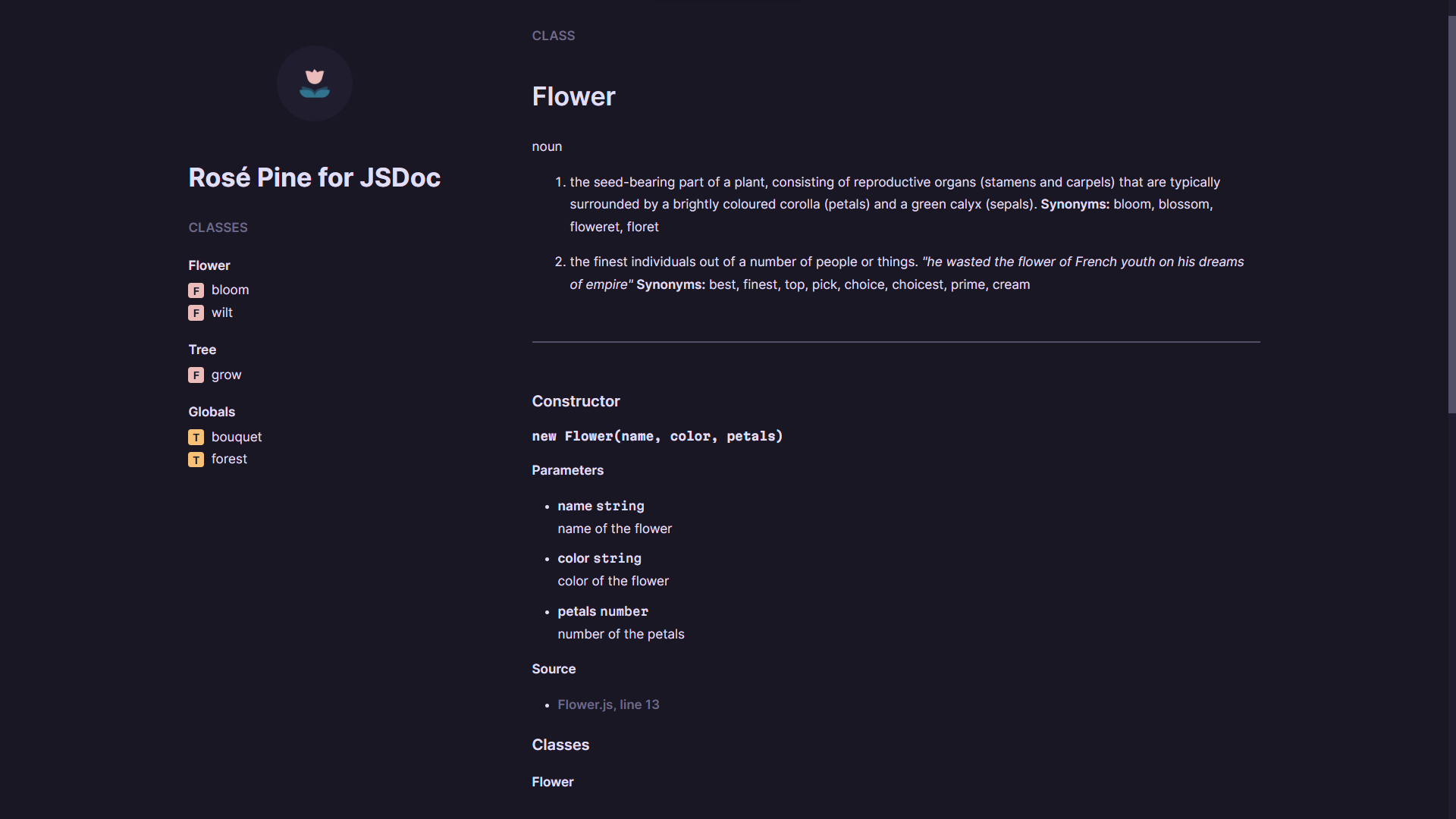 |
- Rosé Pine color theme in both light mode and dark mode
- Responsive layout
- Custom styles via CSS variables
- Code syntax highlighting via Prism.js
By default, this theme uses Inter for body text and Martian Mono for monospace. The layout is loosely inspired by the Rosé Pine website, but mostly keeps the form of the original tidy-jsdoc template.
You can overwrite most of the CSS variables by adding a style property in your jsdoc.json file. For example, if you were unhappy with the size of the header image, which by default is set to 80px, you could add a following property:
"styles": {
  "header-image-max-height": "100px"
}
This may not work with all CSS variables, or not cover a feature that you would like to change. In that case, I would recommend cloning the repository, customizing the source code, and then setting the static path to the modified template in the jsdoc.json file.
This is an example of a jsdoc.json configuration file.
{
  "tags": {
    "allowUnknownTags": true,
    "dictionaries": ["jsdoc", "closure"]
  },
  "source": {
    "include": ["src"],
    "includePattern": ".+\\.js(doc)?$",
    "excludePattern": "(^|\\/|\\\\)_"
  },
  "opts": {
    "template": "./rose-pine-jsdoc",
    "encoding": "utf8",
    "destination": "docs",
    "recurse": true
  },
  "plugins": ["plugins/markdown", "plugins/summarize"],
  "templates": {
    "cleverLinks": false,
    "monospaceLinks": false
  },
  "metadata": {
    "title": "Project Title",
    "logo": "./header-icon.png"
  },
  "styles": {
    "header-image-max-height": "100px"
  }
}Once you've configured JSDoc and added syntax to your JavaScript files, you can generate the HTML files like so. The readme file is optional, but it is rendered in the home page of the documentation.
jsdoc --readme README.md -c jsdoc.jsonTypically you would add this to the scripts in your package.json, so that you could generate the documentation with npm run docs:
"scripts": {
  "docs": "jsdoc --readme README.md -c jsdoc.json"
}The GitHub repository contains an example directory that renders an example output of this theme. It can be run with npm run demo.